This page is still a work in progress. A full MCP guide is coming soon!
Sigma can only act as an MCP client. The Sigma MCP server is coming soon!
MCP in Sigma
Navigate to the Actions Dashboard
Click your user profile icon and select Admin Panel and select the Actions tab in the sidebar.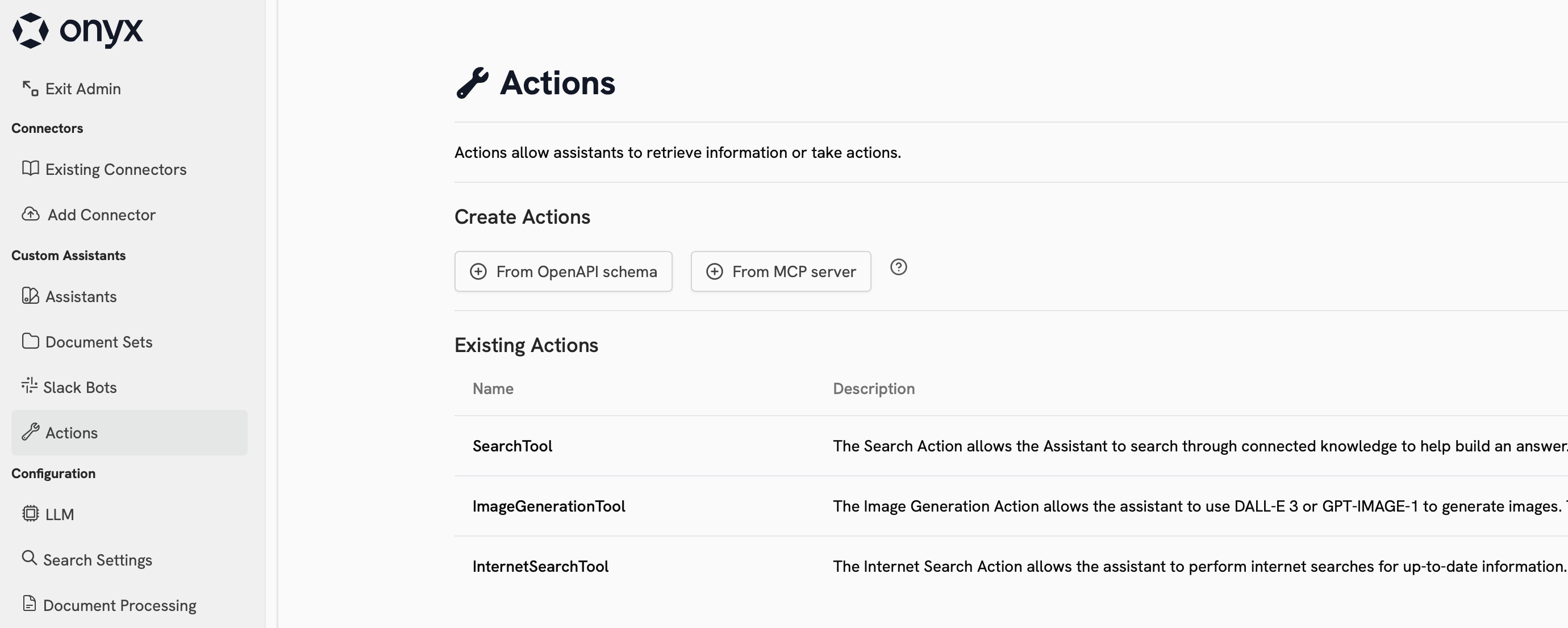
Connect Sigma to your MCP Server
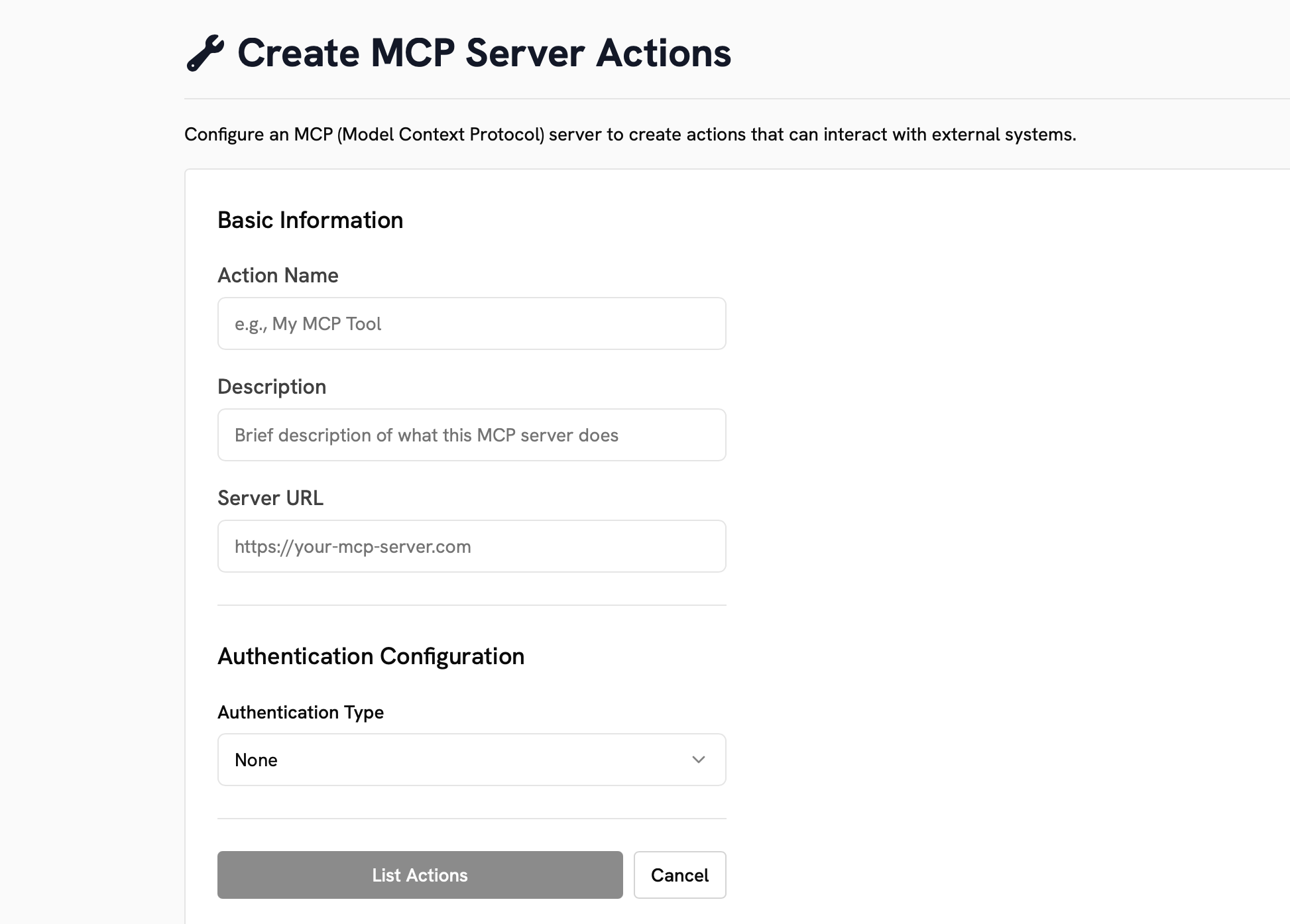
Select the From MCP server under Create Action.Fill out the fields and select your Authentication Type.Click List Actions to see the available actions from your MCP server.