
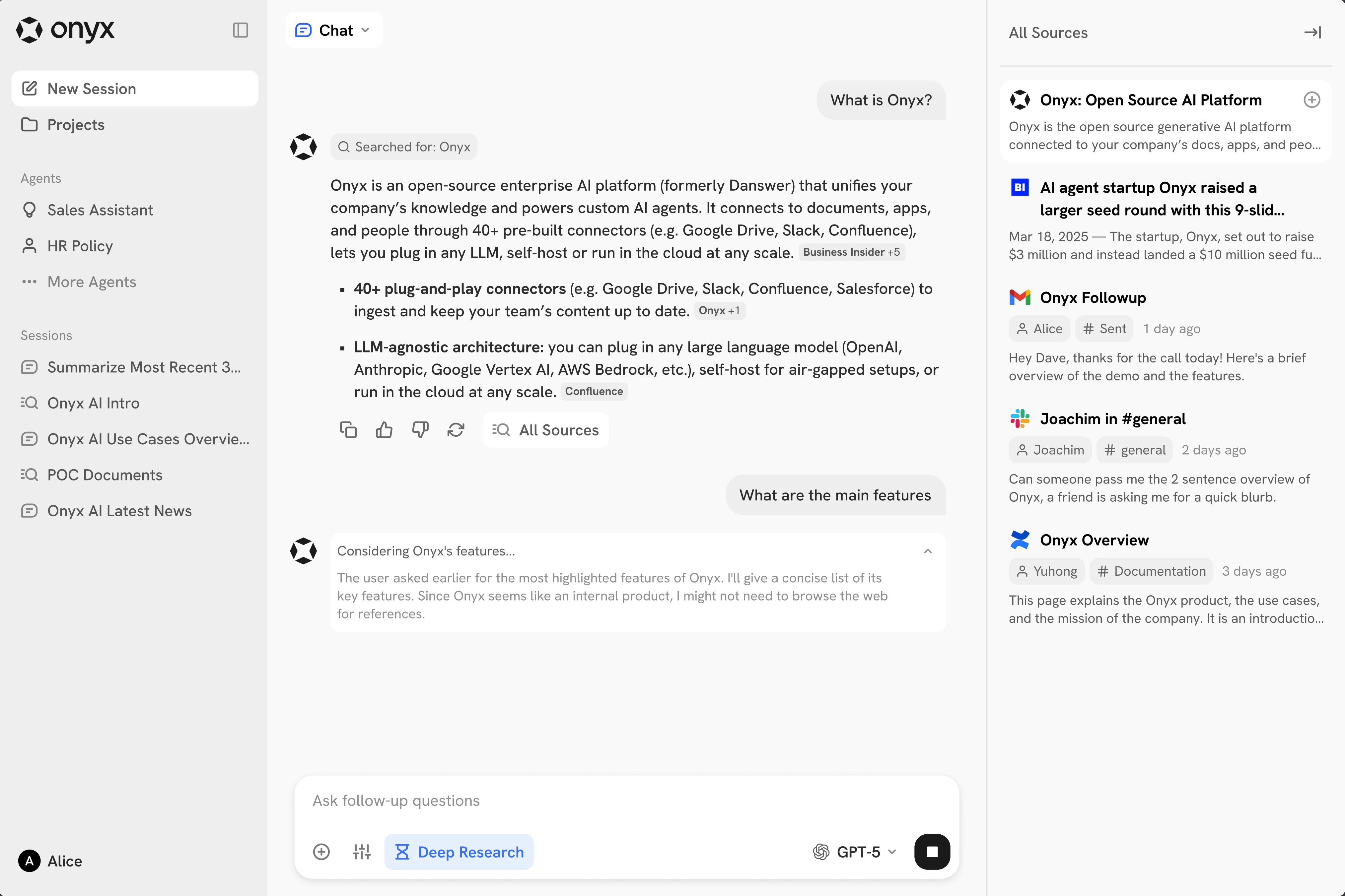
 Sigma provides a natural language chat interface as the main way of interacting with the features.
The page below contains an overview of the main components and features.
Sigma provides a natural language chat interface as the main way of interacting with the features.
The page below contains an overview of the main components and features.
Input Bar
Chat with Files / URLs
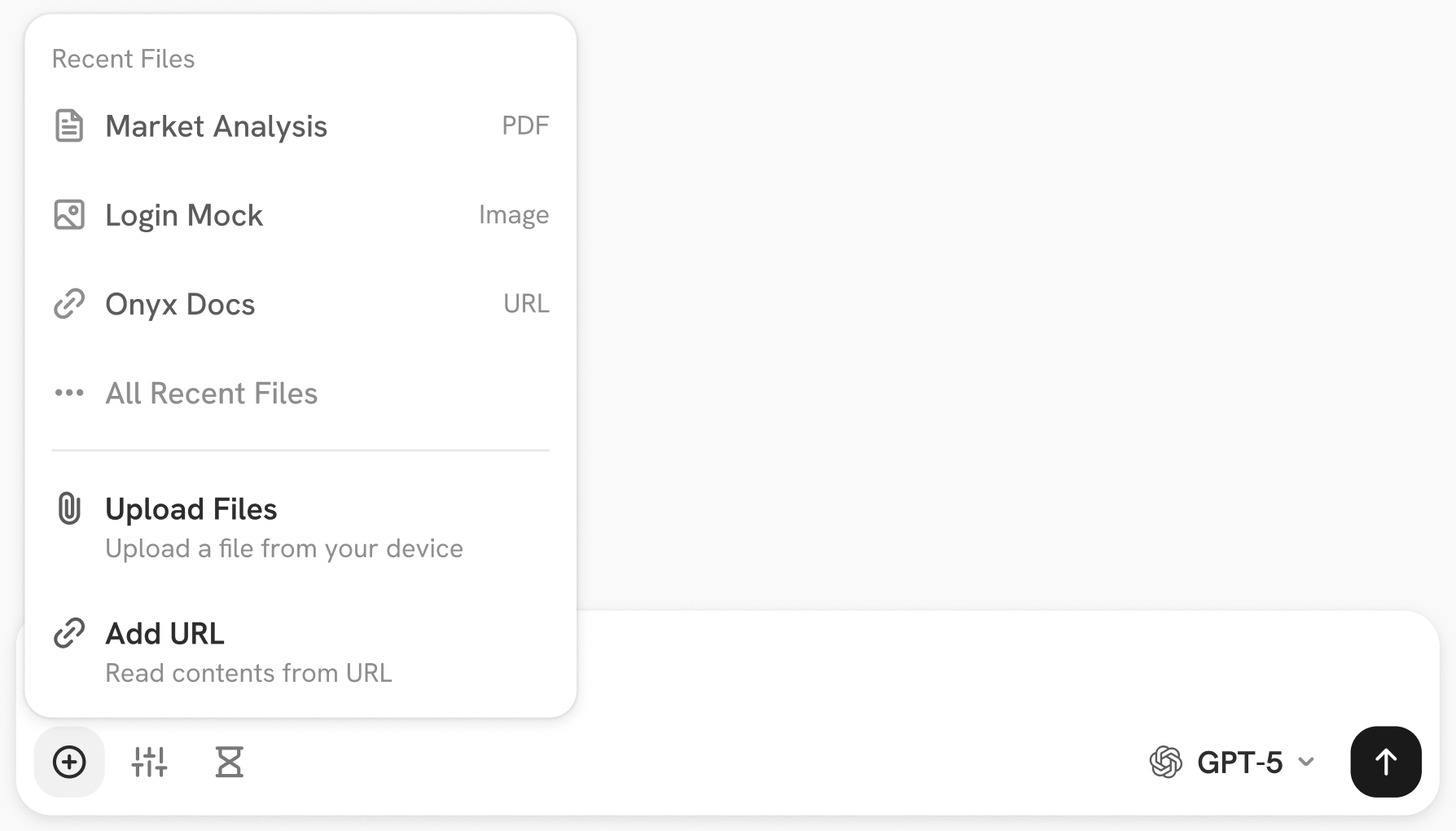 The leftmost button of the input bar lets users add context into the Chat session.
Users can choose between uploading files or selecting URLs as well as reusing previous files or URLs.
The leftmost button of the input bar lets users add context into the Chat session.
Users can choose between uploading files or selecting URLs as well as reusing previous files or URLs.
URLs behind Logins, Captcha, or Paywalls that are not scrapeable are not accessible.
Consider using a Connector instead.
Actions Selector
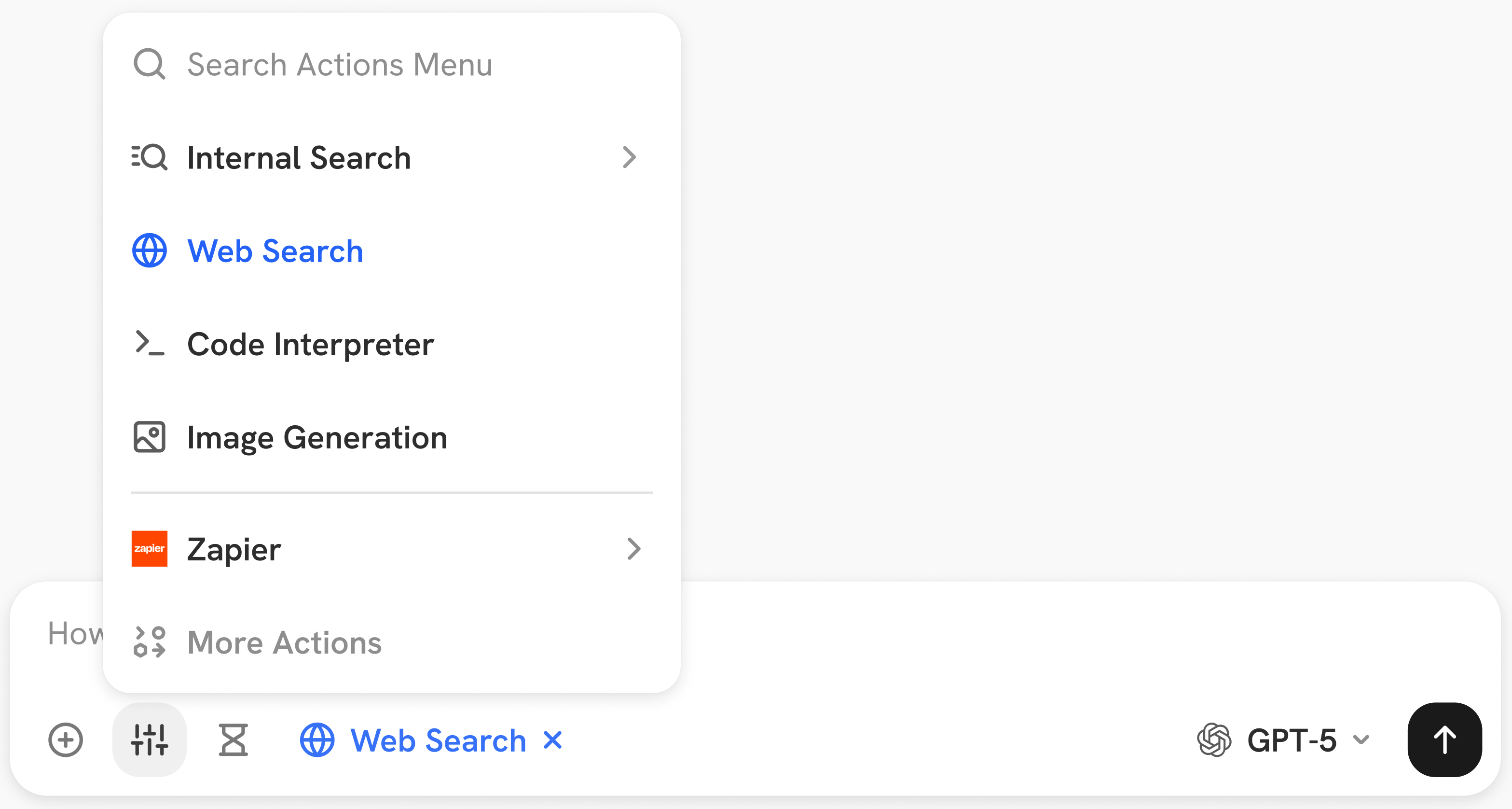 The second button lets users disable or force the use of Actions. There are 4 built-in Actions:
- Internal Search: Enables the LLM to search the indexed knowledge from Connectors.
- Web Search: Enables the LLM to search the internet. Requires an admin to set up an API key for a search provider.
- Code Interpreter: Enables the LLM to use a sandboxed Python runtime to execute code and run data analysis.
- Image Generation: Allows the LLM to generate images. Requires setting up an image generation API.
Deep Research
 Toggle Deep Research using the hourglass icon. When turned on, the LLM will be able to run many cycles of thinking,
research, and actions to give the best possible result for the user.
This mode is intended for complicated questions that may need to pull together many sources together or requires
significant reasoning.
Toggle Deep Research using the hourglass icon. When turned on, the LLM will be able to run many cycles of thinking,
research, and actions to give the best possible result for the user.
This mode is intended for complicated questions that may need to pull together many sources together or requires
significant reasoning.
Deep Research may take up to several minutes and could cost many times (>10x) the token cost of a normal inference.
Model Selector
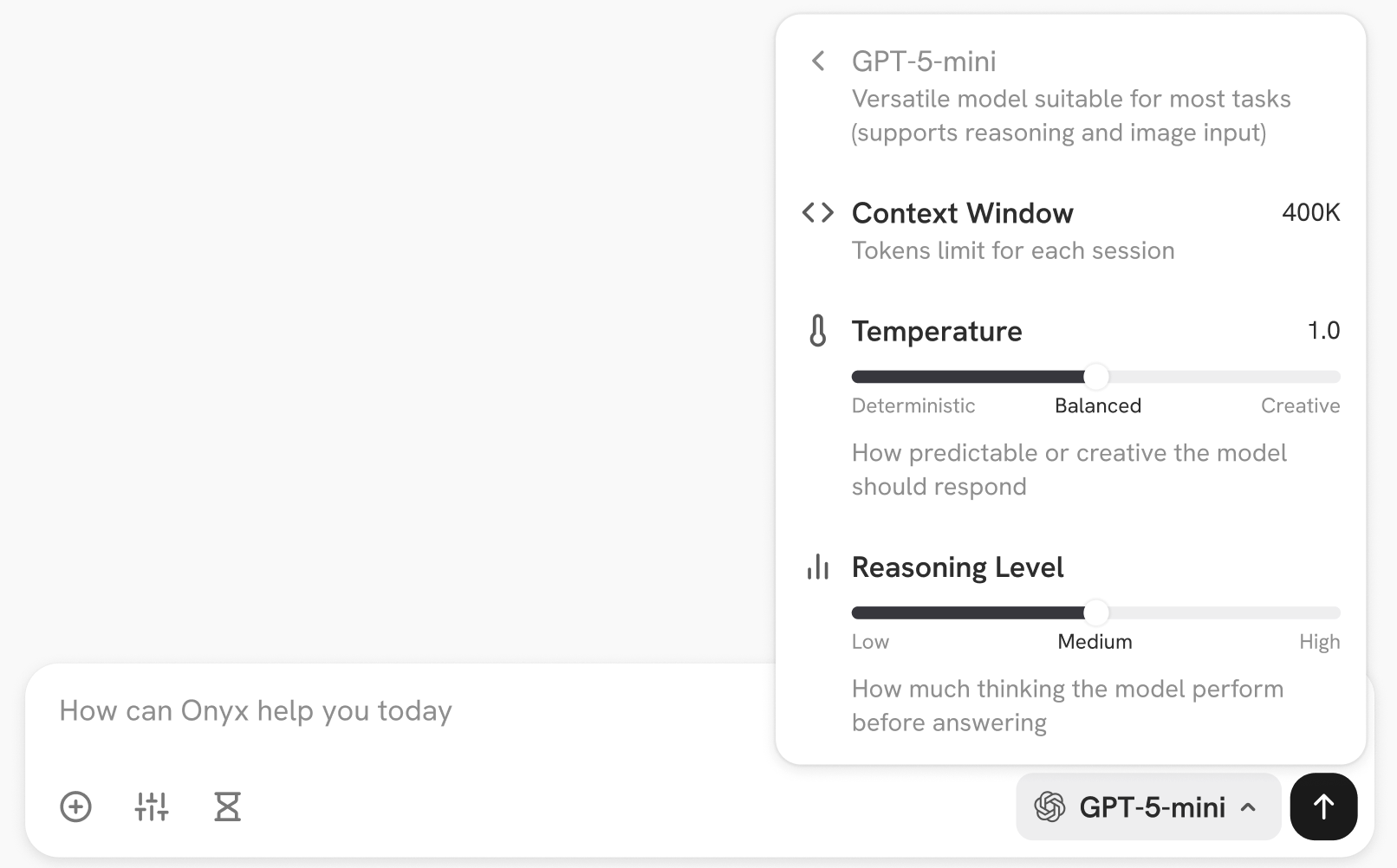 Sigma supports all major LLM providers as well as self-hosting options like Ollama, VLLM, etc. For select models,
users can also configure the creativity and reasoning level.
Sigma supports all major LLM providers as well as self-hosting options like Ollama, VLLM, etc. For select models,
users can also configure the creativity and reasoning level.
Sidebar Contents
The left sidebar contains:New Sessionbutton to clear the history and start a new Chat or Search session.Projectsto help users organize chats and reuse different sets of documents. See section below for more info.Agentssection to start a new session with yours or your team’s custom Agents.Sessionssection containing a list of the most recent conversations.
Internal Search or Web Search or both.
Documents in the right sidebar can also be selected to be included in full for the next message in the Chat session.
Projects
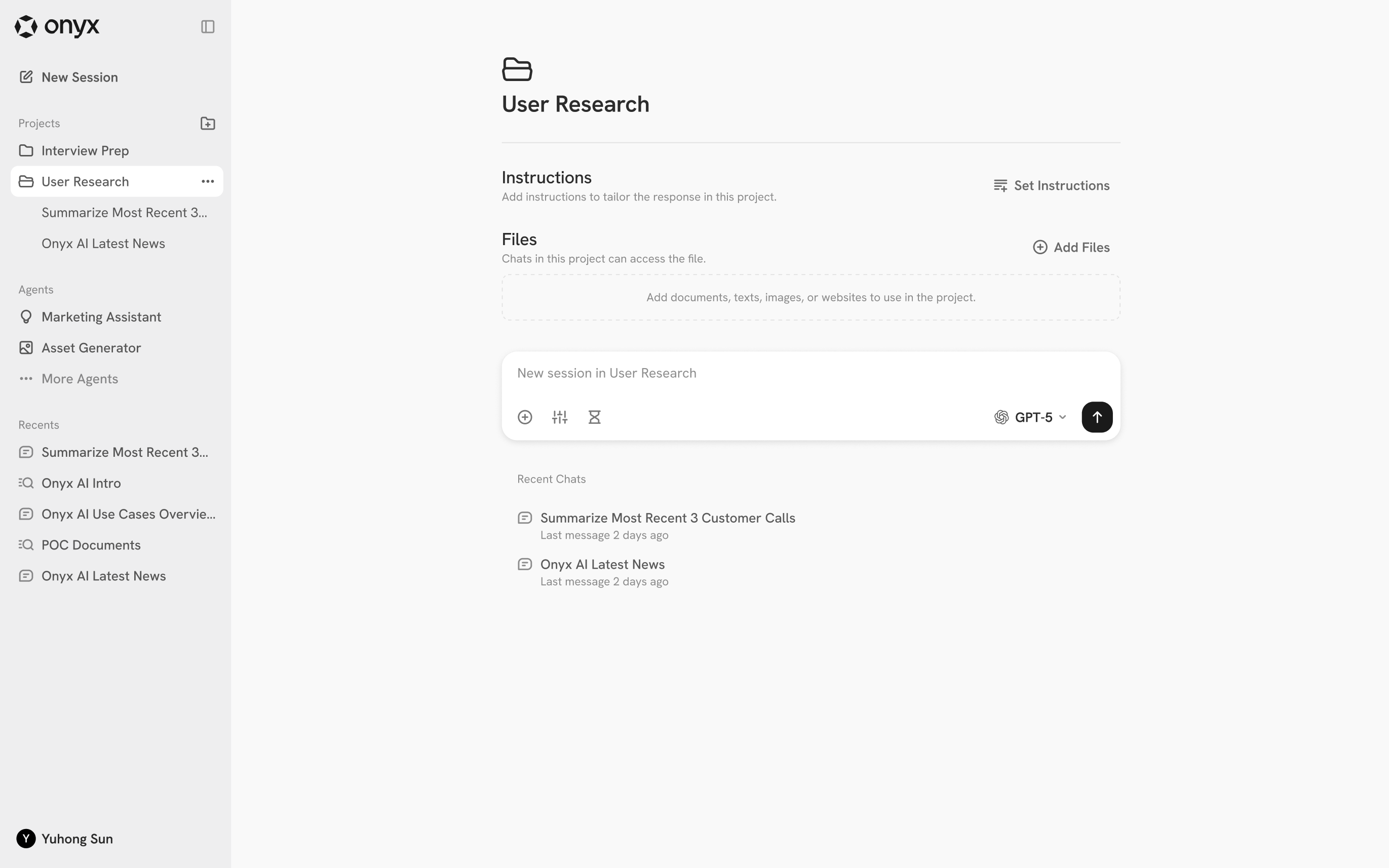 Projects are a collection of instructions (prompts) and files as well as a grouping for chats.
Use projects to organize ongoing work,
or as a handy way to reuse instructions and files without going through the Agent creation flow.
Projects are a collection of instructions (prompts) and files as well as a grouping for chats.
Use projects to organize ongoing work,
or as a handy way to reuse instructions and files without going through the Agent creation flow.