Make sure your Google Cloud Platform account has the necessary permissions to create a VM instance.
1

Create a VM instance

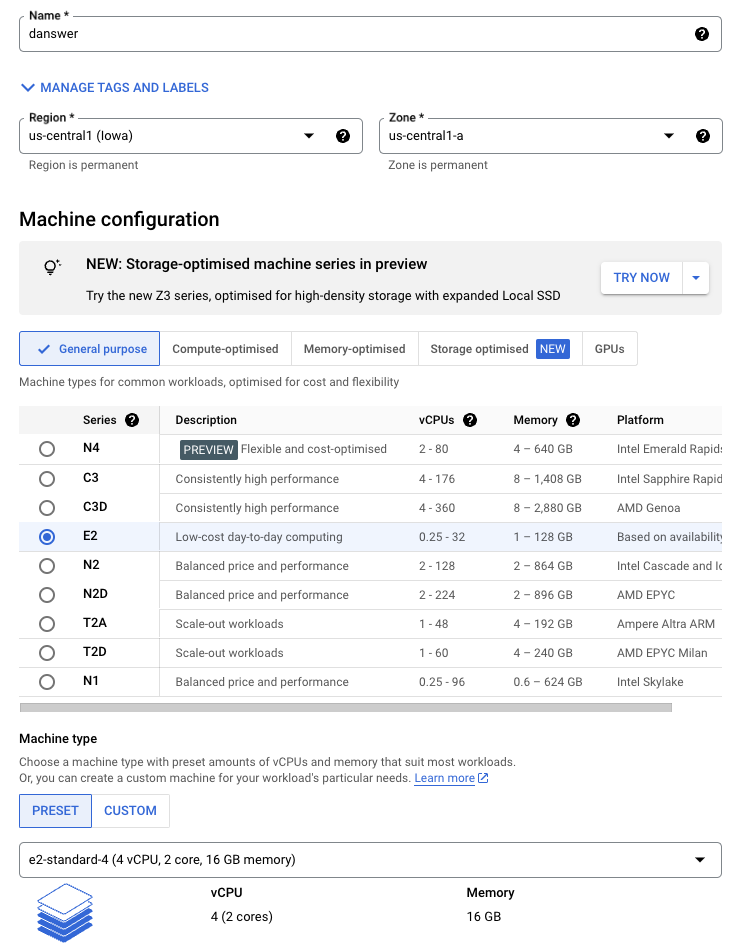
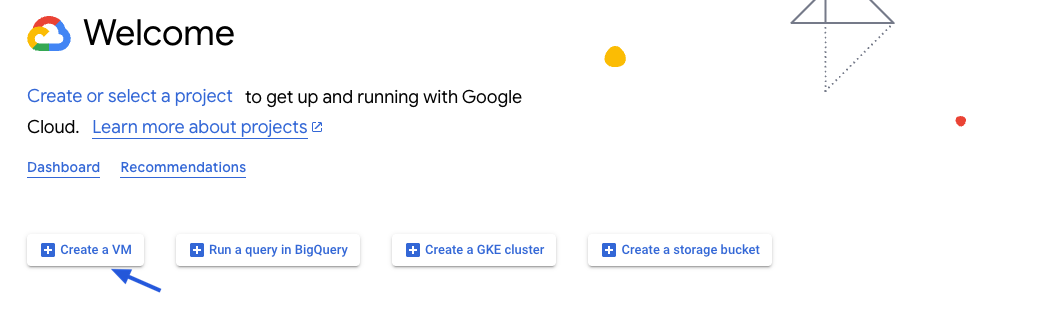
Create a VM instance with the appropriate resources. For this guide, we will use the recommended e2-standard-4 instance.
Read our Resourcing guide for more details.
  • Give your instance a descriptive name like Sigma-prod
  • Select the Debian GNU/Linux 12 boot disk
  • Select the e2-standard-4 machine type
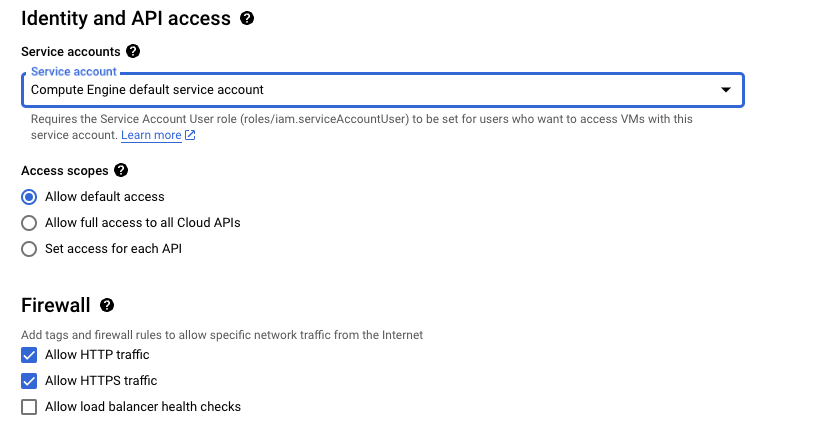
  • Select Allow HTTPS traffic in the Firewall section
  • Configure storage following the Resourcing Guide
Create VM InstanceInstance SettingsFirewall Settings
2

Create the instance

Click Create and then view your instance details.
Save the External IP of the instance!
3

Point domain to the instance

If you don’t have a domain, buy one from a DNS provider like GoDaddy or just skip HTTPS for now.
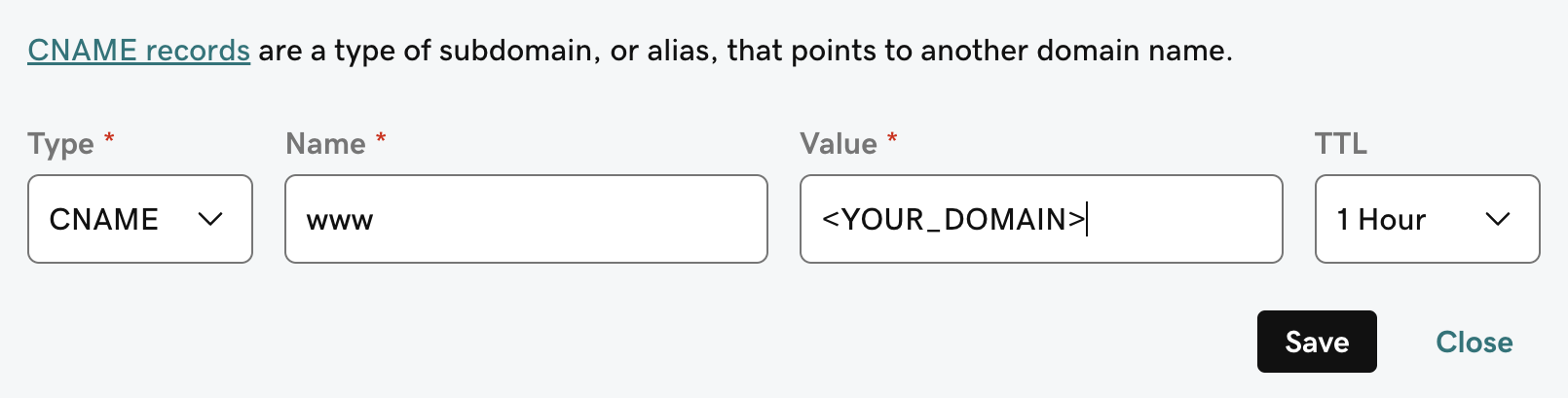
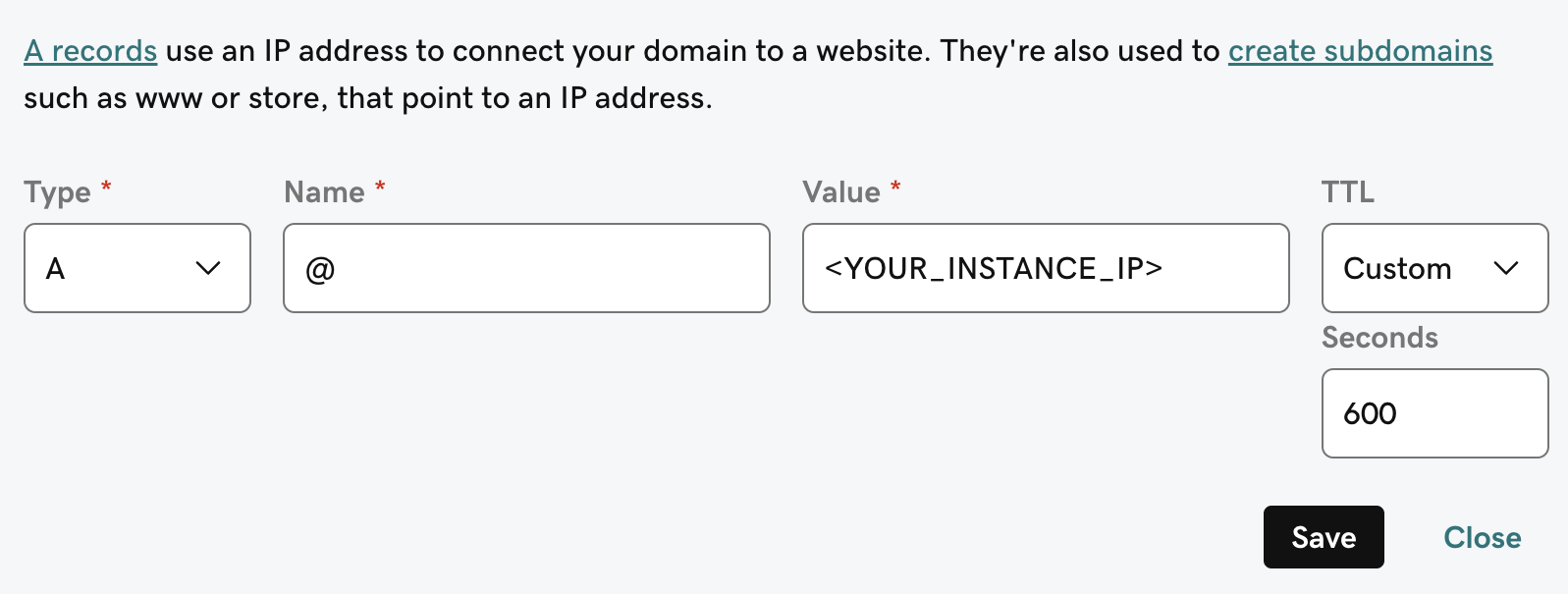
To point our domain to the new instance, we need to add an A and CNAME record to our DNS provider.The A record should be the subdomain that you would like to use for the Sigma instance like prod.The CNAME record should be the same name with the www. in front resulting in www.prod pointing to the full domain like prod.Sigma.app.DNS A Record ConfigurationDNS CNAME Record Configuration
4

Install Sigma requirements

Sigma requires git, docker, and docker compose.To install these on Debian GNU/Linux 12, run the following:
sudo apt update
sudo apt install -y ca-certificates curl gnupg

sudo install -m 0755 -d /etc/apt/keyrings
curl -fsSL https://download.docker.com/linux/debian/gpg | sudo gpg --dearmor -o /etc/apt/keyrings/docker.gpg
sudo chmod a+r /etc/apt/keyrings/docker.gpg
echo "deb [arch=$(dpkg --print-architecture) signed-by=/etc/apt/keyrings/docker.gpg] https://download.docker.com/linux/debian $(lsb_release -cs) stable" | sudo tee /etc/apt/sources.list.d/docker.list > /dev/null

sudo apt update
sudo apt install -y docker-ce docker-ce-cli containerd.io docker-buildx-plugin docker-compose-plugin
If using CentOS, Red Hat Linux, or similar, run the following:
sudo yum update -y

sudo yum install docker -y
sudo service docker start

sudo curl -L https://github.com/docker/compose/releases/latest/download/docker-compose-$(uname -s)-$(uname -m) -o /usr/local/bin/docker-compose
sudo chmod +x /usr/local/bin/docker-compose

sudo yum install git

Next Steps